
Every parcel, owner and approval.
One system.
Terra is land and project lifecycle management built for energy infrastructure developers. It replaces the spreadsheets, shared drives and WhatsApp threads that land, legal, finance and operations teams use to run a project with one auditable system that runs entirely on your own server.
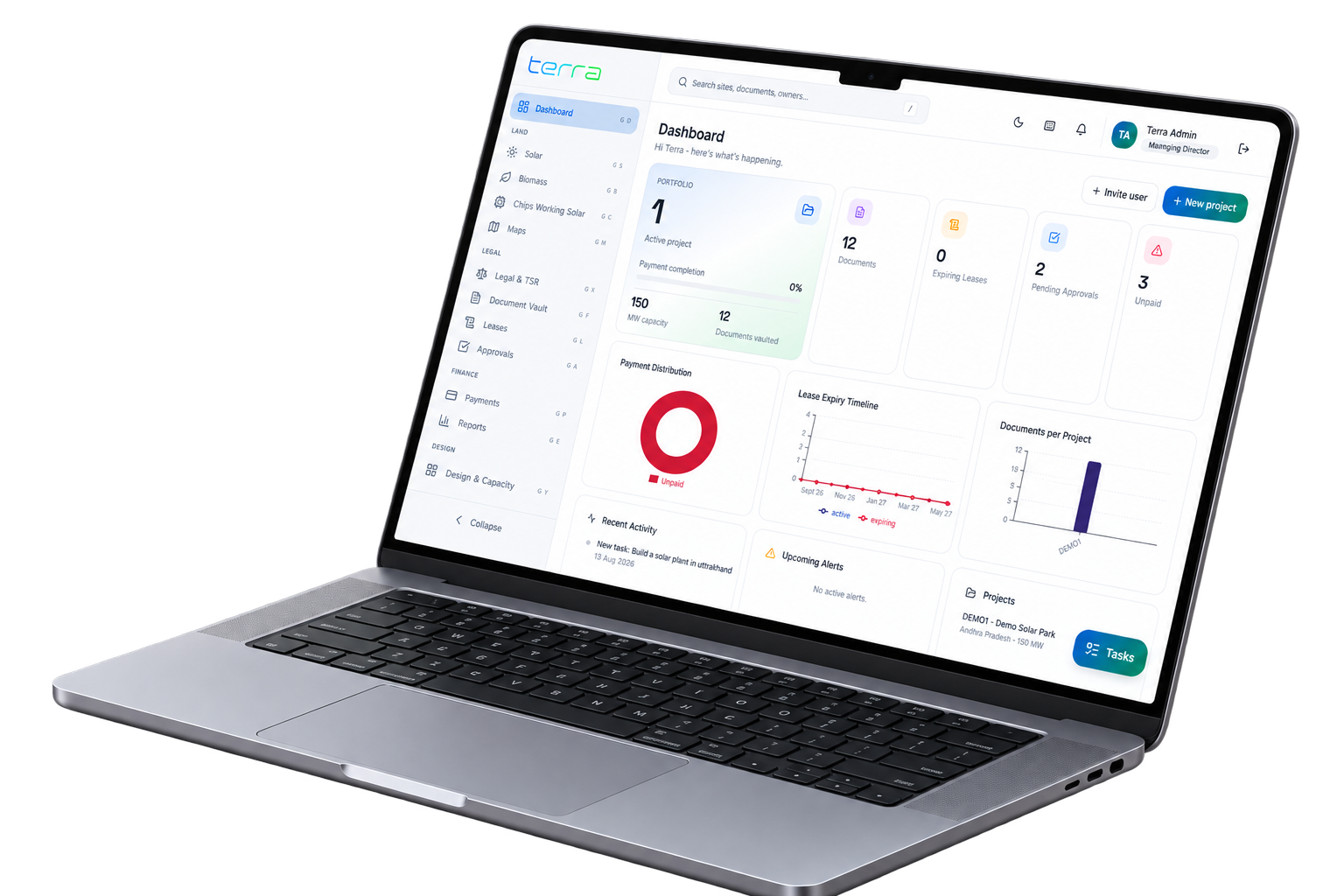
Complete Feature Suite
Built for the high-stakes reality of energy land acquisition
See how Terra streamlines work for land officers, legal counsel, CFOs, and site project managers.
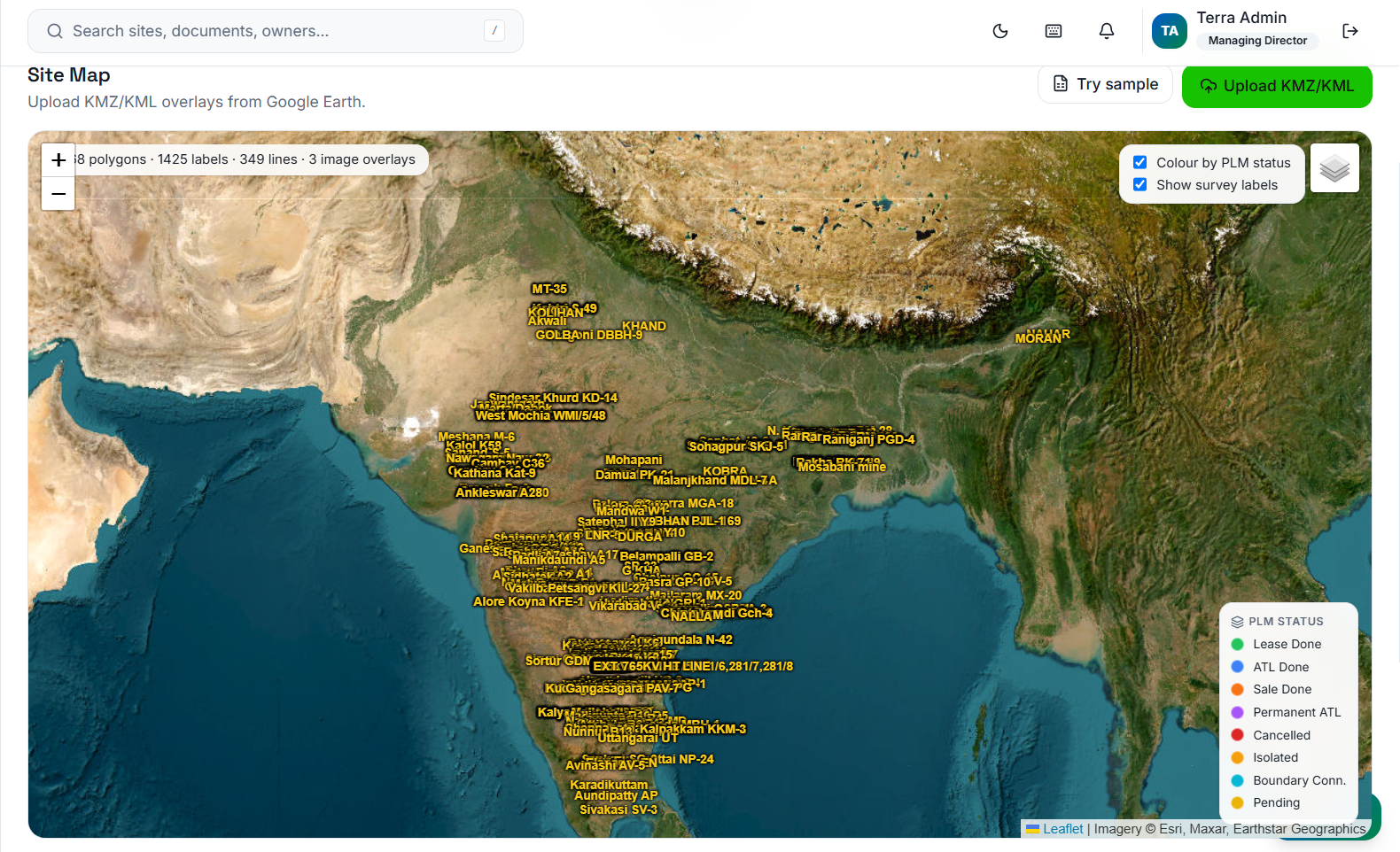
GIS Mapping & Imagery
Thousands of survey parcels mapped in seconds
Drop KMZ or KML overlays straight from Google Earth and visualize thousands of individual land parcels on satellite imagery. Color-code polygons by acquisition status (agreed, legal pending, leased, registered) and click any parcel to inspect ownership lineage.
- Native KMZ/KML polygon parser
- Live satellite imagery and survey number overlays
- Linked directly to legal TSR and owner payment records
Document Management
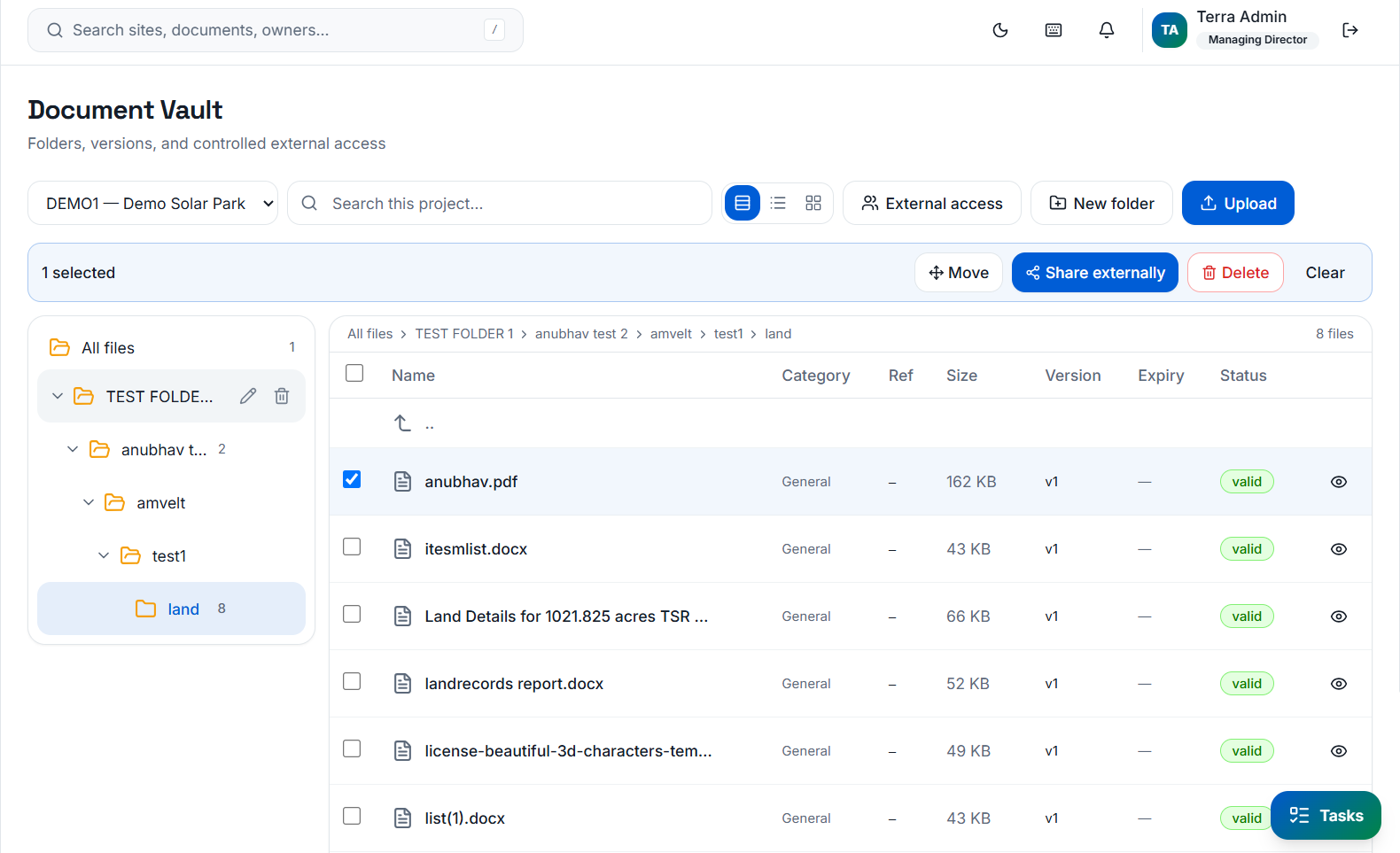
Enterprise Document Vault with expiring share links
Organize thousands of land titles, 7/12 extracts, TSR reports, and lease deeds in familiar Explorer-style folders. Safely share entire project folders or select files with external law firms on secure, self-expiring links with full access logging.
- Drag-and-drop bulk file uploads
- Time-limited link sharing for legal due diligence
- Instant permission revocation while preserving audit history
Operations & Delegation
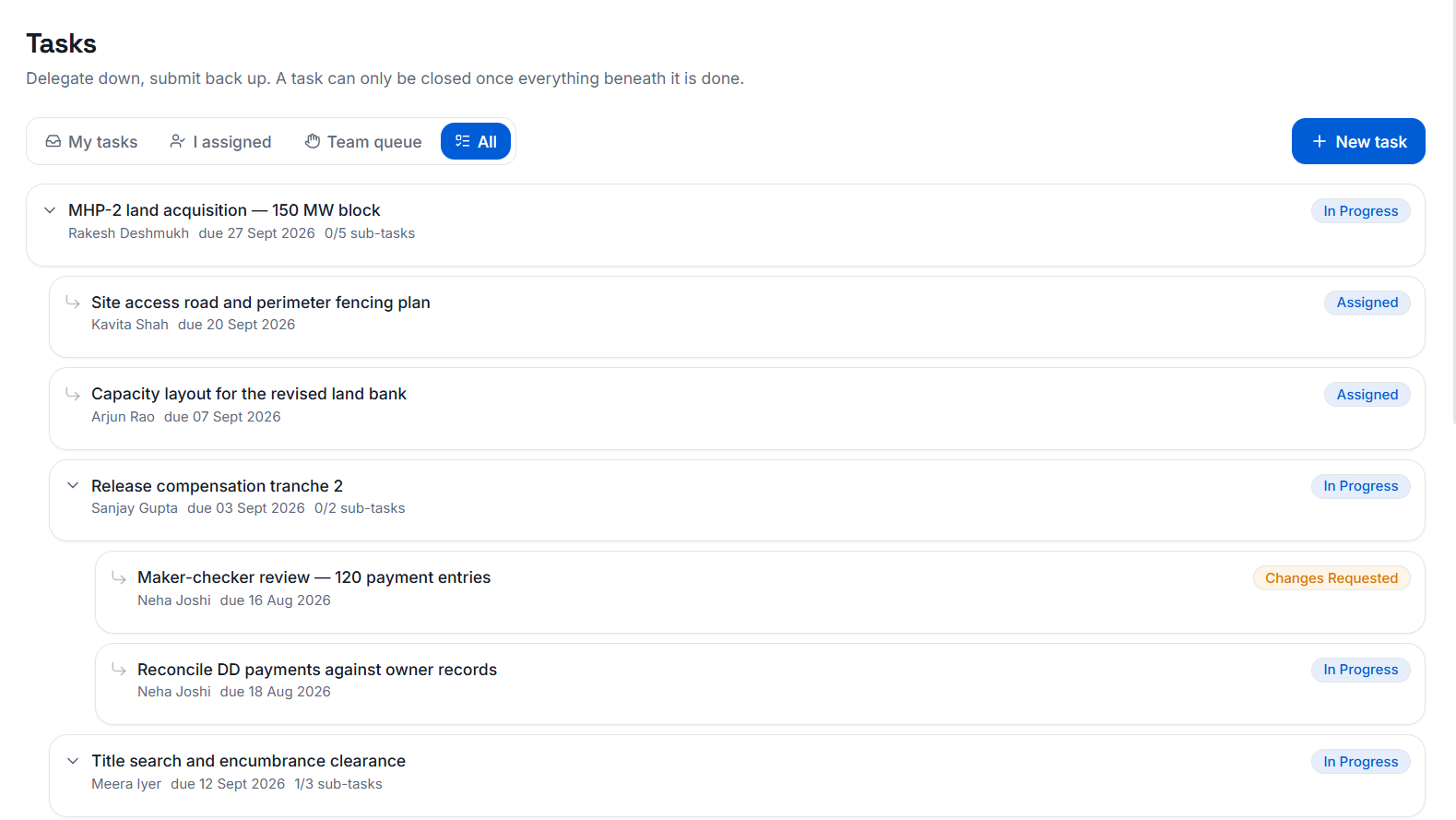
Structured Task Delegation down the hierarchy
Work flows seamlessly from executive leadership down to field team leads. Break complex land clearance goals into sub-tasks, assign department heads, attach survey documents, and track completion progress in real time.
- Multi-level nested sub-tasks
- Automatic email notifications at every transfer
- Task submissions attached directly to owner records
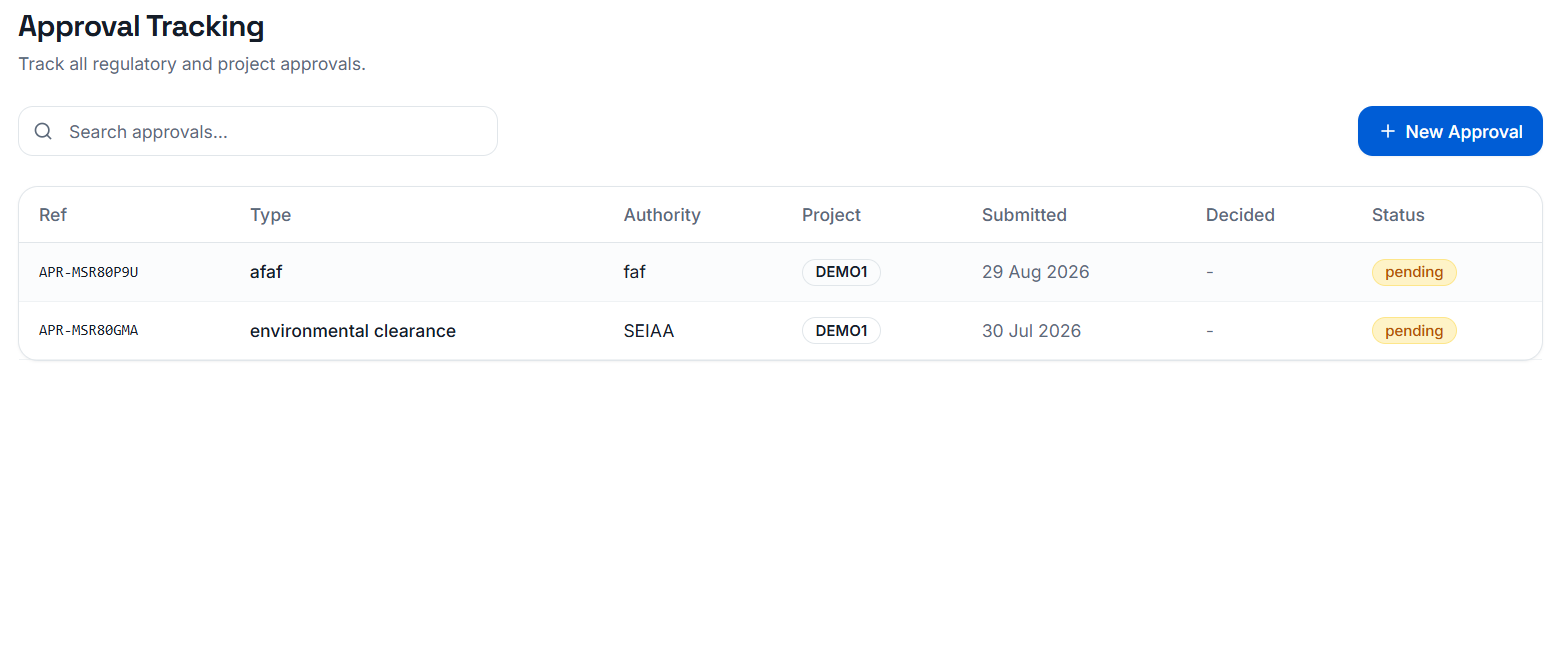
Governance & Controls
Maker-Checker Approvals & Executive Authorization
Prevent unapproved land payouts or title transfers. Approvals route by department seniority and financial thresholds. High-value transactions trigger one-time authentication codes sent directly to the Managing Director.
- Strict maker-checker verification workflows
- MD one-time authentication code for critical actions
- Full rejection & resubmission trail
Security & Audit
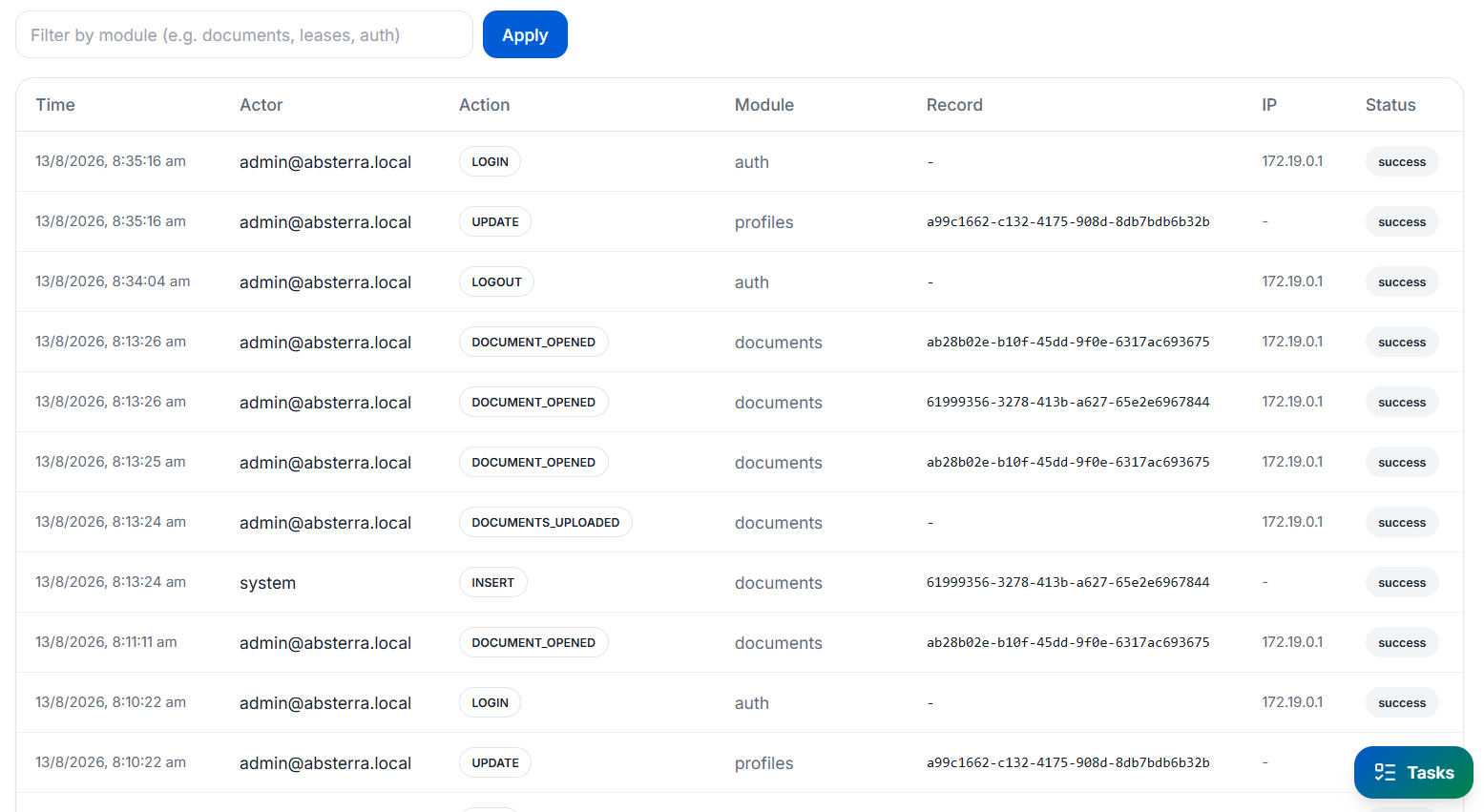
Tamper-evident audit logs for institutional lenders
Every record creation, document view, permission change, and payment authorization is recorded with timestamp and IP origin. Export complete, unalterable audit trails for project finance lenders and statutory auditors.
- Immutable log history across all 9 modules
- Exportable for banking diligence & compliance
- Department-level action filtering
Built for the Field
Full power in the pocket for site teams
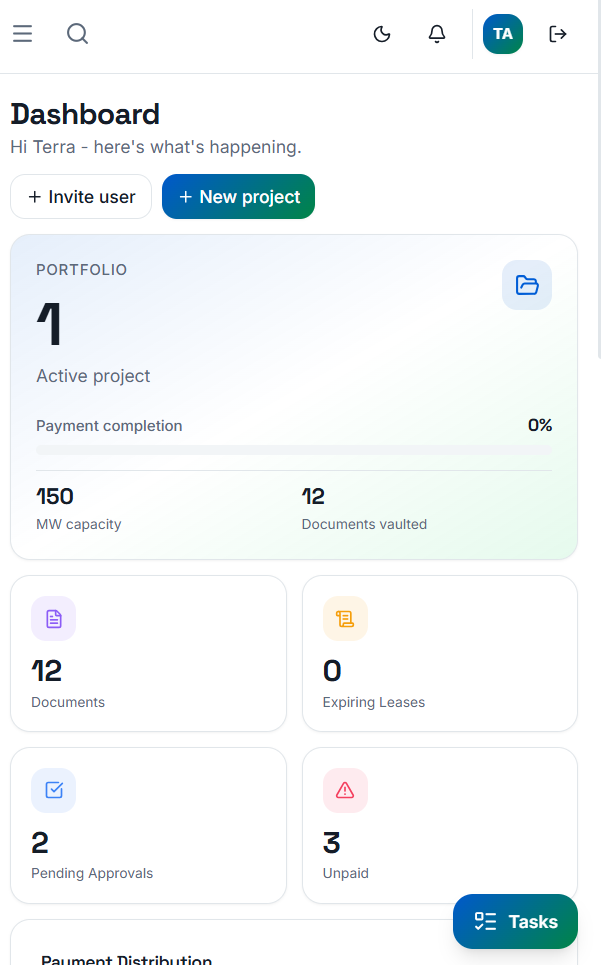
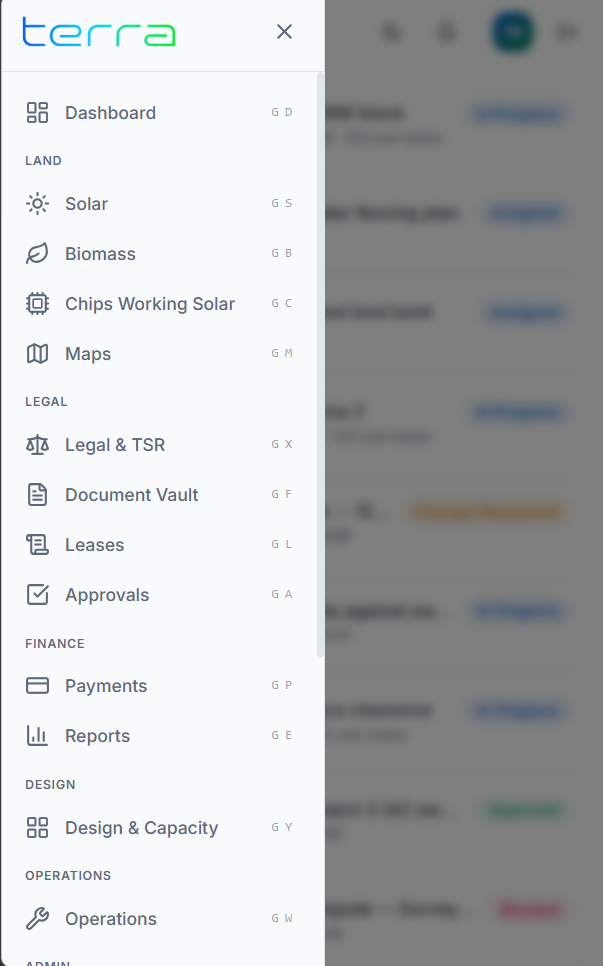
Site officers on solar farms or biomass sites don't need a heavy workstation. Terra is fully responsive and optimized for mobile touchscreens over office Wi-Fi or secure VPNs.
Mobile Portfolio Metrics
Inspect site metrics, parcel acquisition progress, and pending approvals directly on phone screens.
Touch Navigation
Instant drawer access to survey records, document folders, GIS maps, and lease expiry calendars.
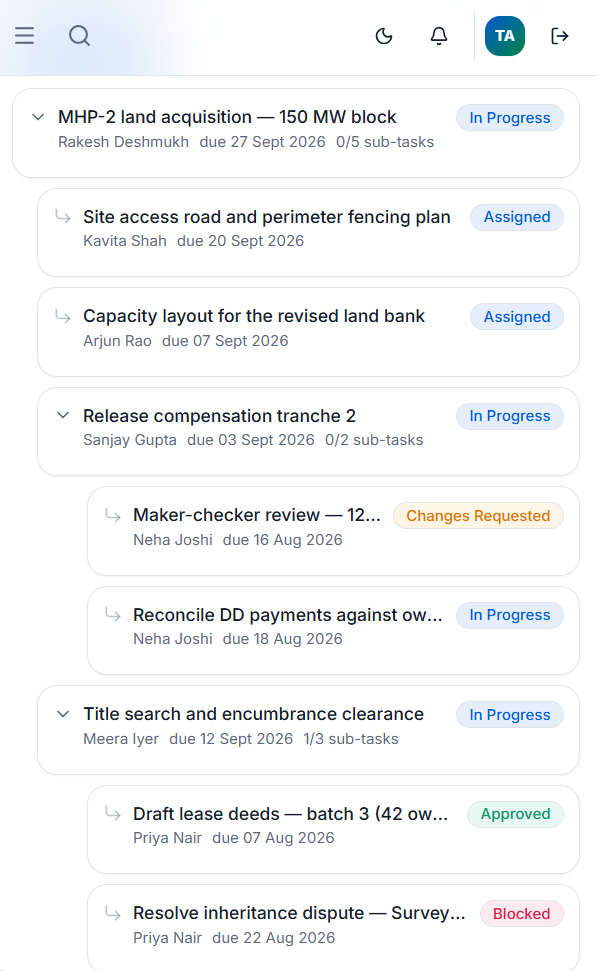
On-Site Task Approval
Submit field survey photos, verify parcel survey numbers, and respond to delegated tasks on the go.
Productivity & UX
Thoughtful details for daily workflow speed
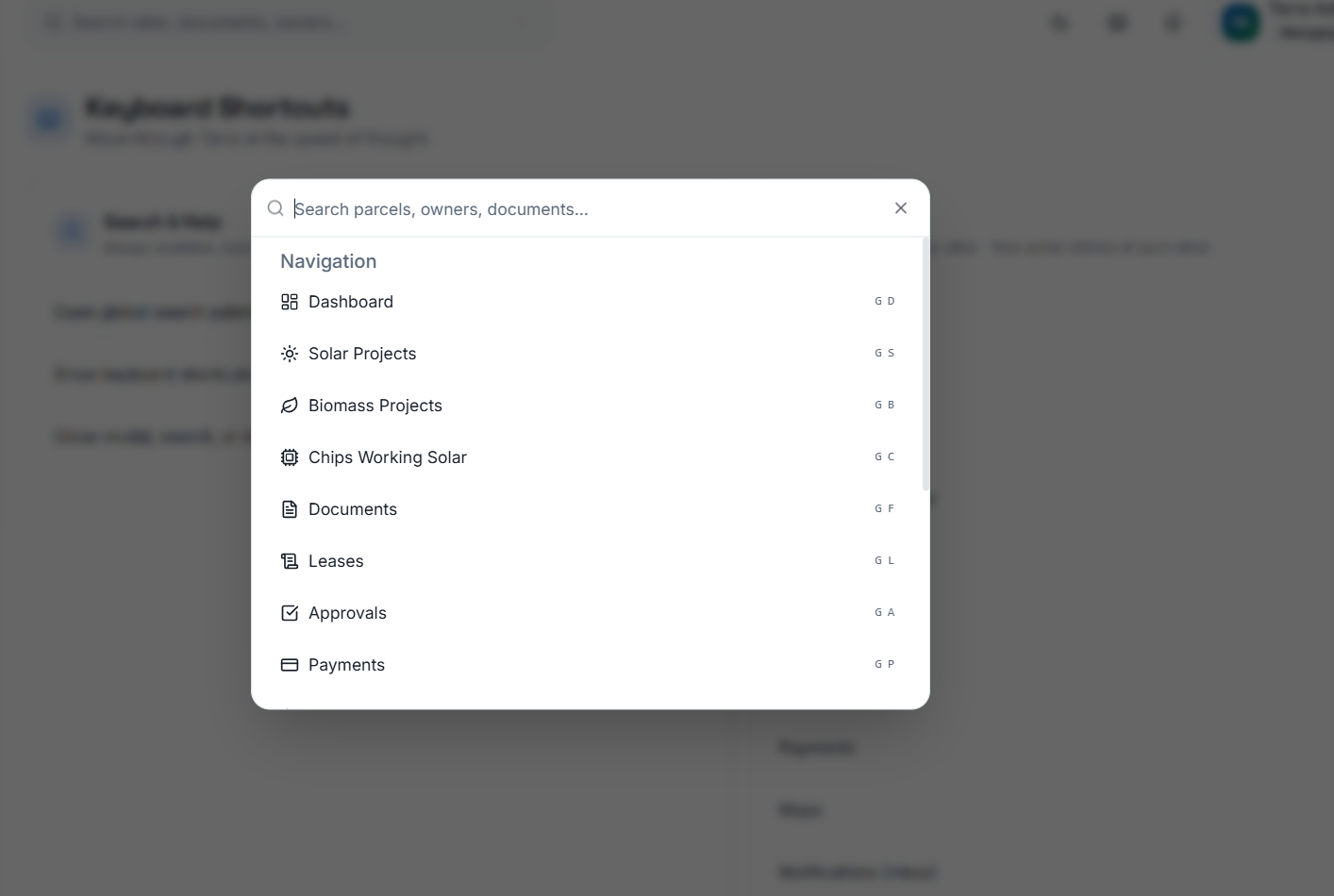
Universal Search
Search across survey numbers, owner names, demand draft numbers, legal disputes, and uploaded PDF documents instantly from anywhere in the app.
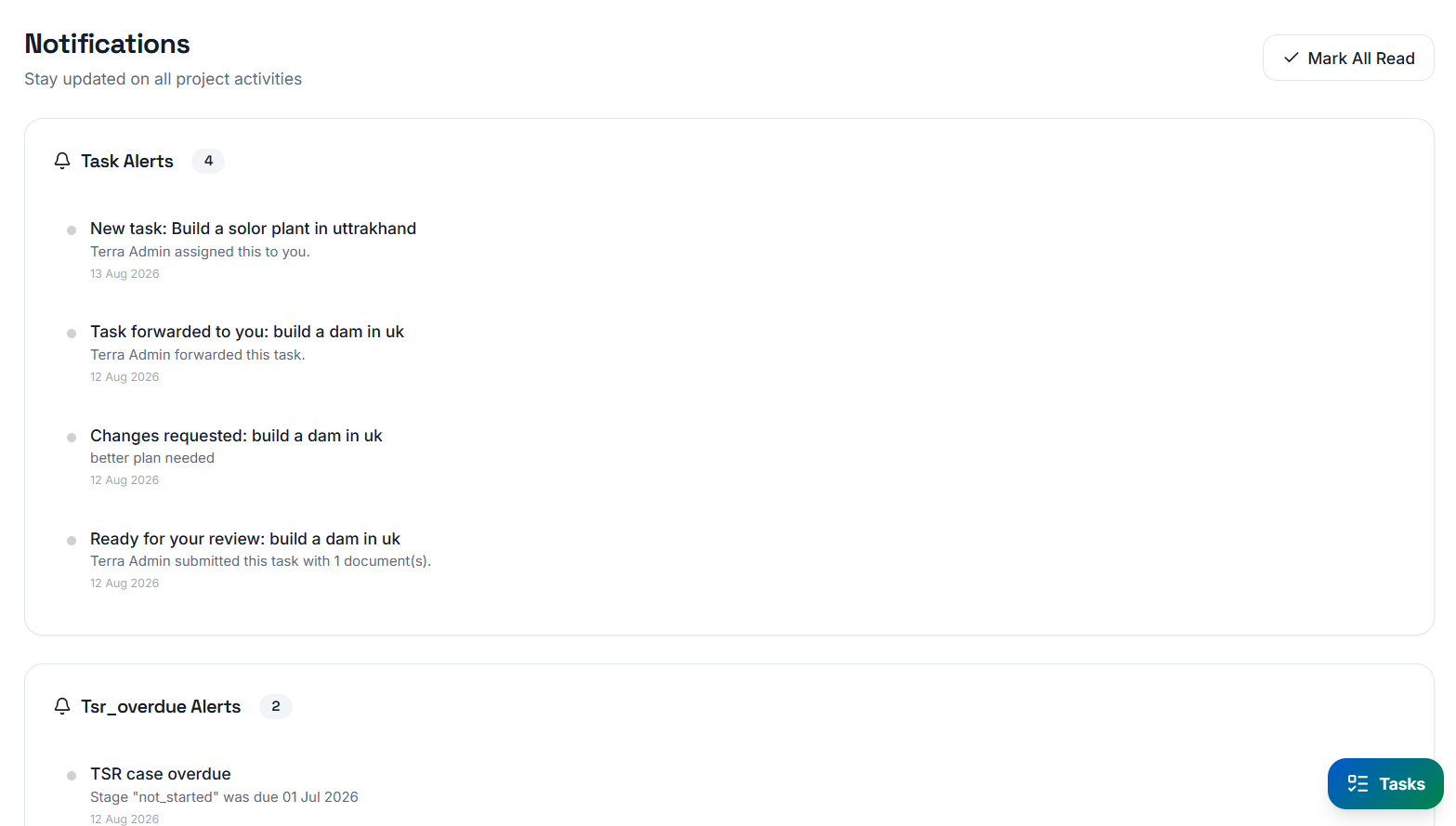
Real-time Notifications
In-app badge alerts and automated SMTP emails notify VPs, legal leads, and Managing Directors the second a task requires their review or a lease renewal window opens.
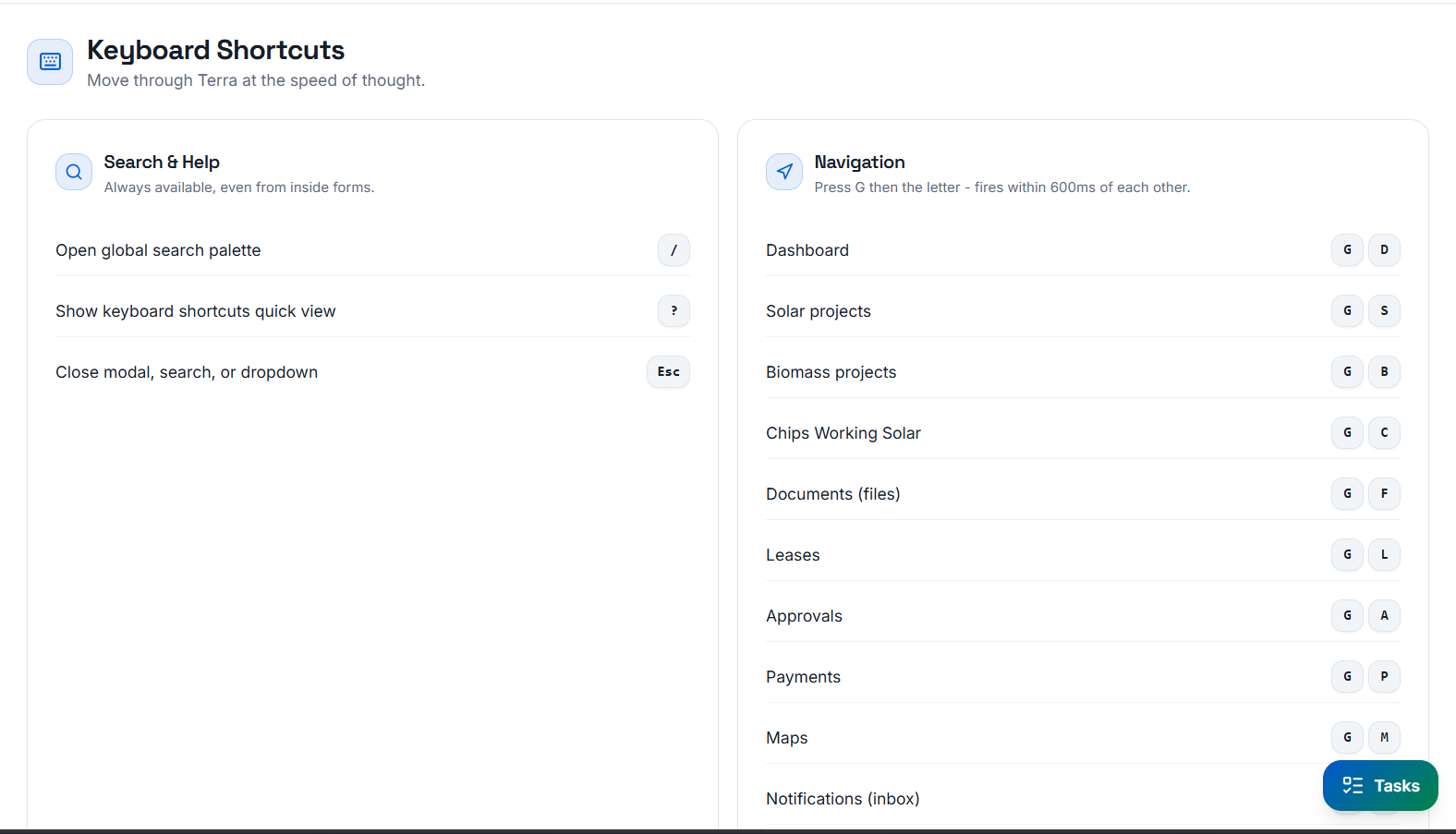
Power Shortcuts & Accessibility
Built with full keyboard navigation and high-contrast dark/light mode toggles so team members can navigate dense land data without touching a mouse.
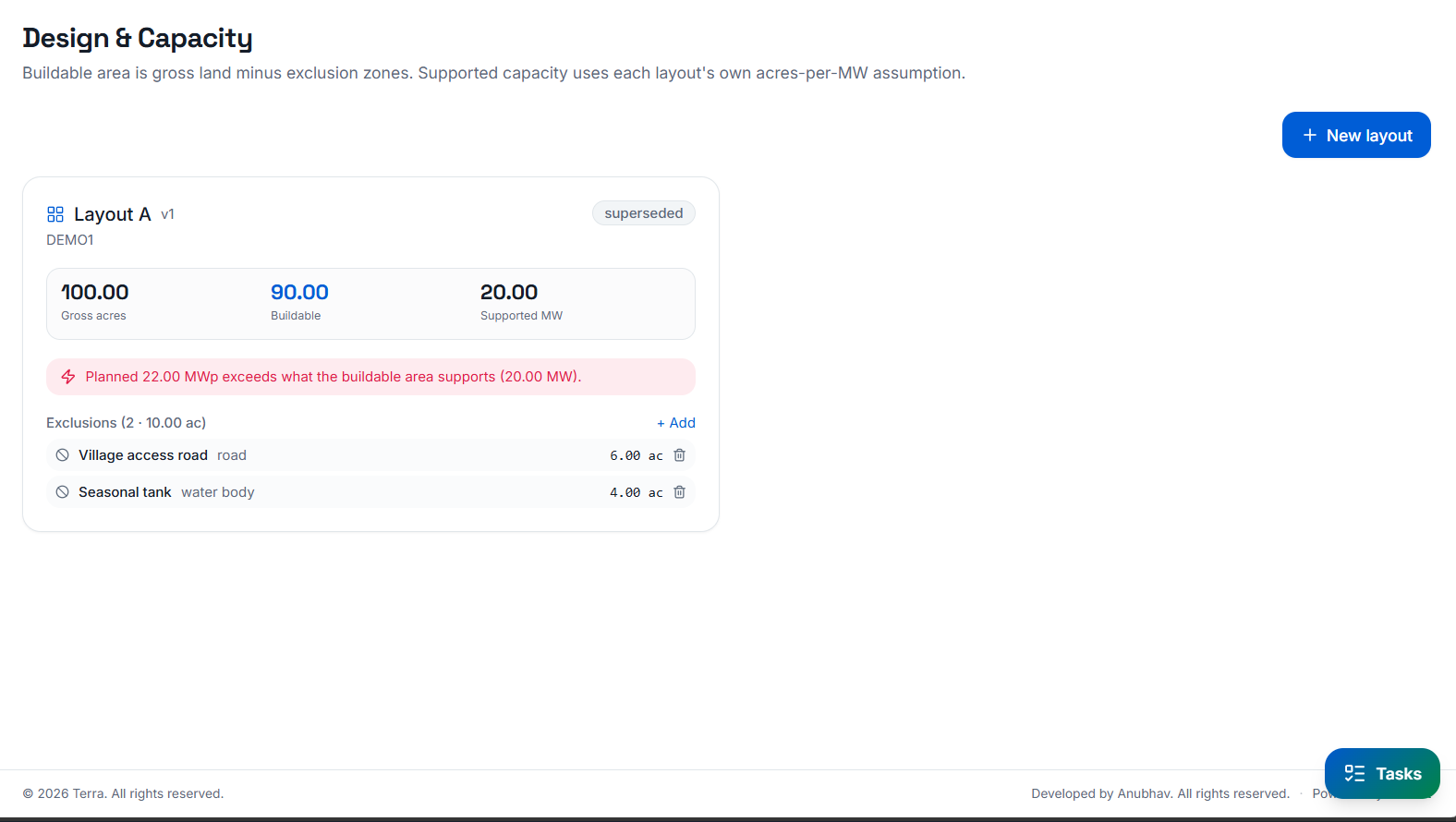
Design & Capacity Tracking
Track target MWp solar capacity or biomass tonnage requirements against actual acquired acreage, ensuring development targets are met on time.
Energy Modules
Shaped to your specific generation type
Solar
Utility-scale solar parks, from first survey number to commissioning.
Biomass
Biomass plants, with the same land, legal and payment discipline.
Chips Working Solar
Hybrid sites that need both streams tracked against one land bank.
Deployment
Installed once on your server. Zero cloud lock-in.
Install on one server
Docker on Windows Server, Windows 10/11 or Linux. 8 GB RAM and 20 GB disk is enough to start. About twenty minutes, most of it unattended.
Staff open a browser
Everyone works at your internal address over the office intranet, or published securely to the internet for field teams. Works on laptops, tablets and phones.
Your data never leaves
Documents and records live in your own database and storage on that server. Terra runs offline after installation and reports nothing back to us.
Activate your licence
Send us the deployment fingerprint shown in the admin panel; we return a signed licence string that unlocks your plan's modules. Upgrades are a new string: a minute's work, no reinstall.
FAQ